Render Enhancer
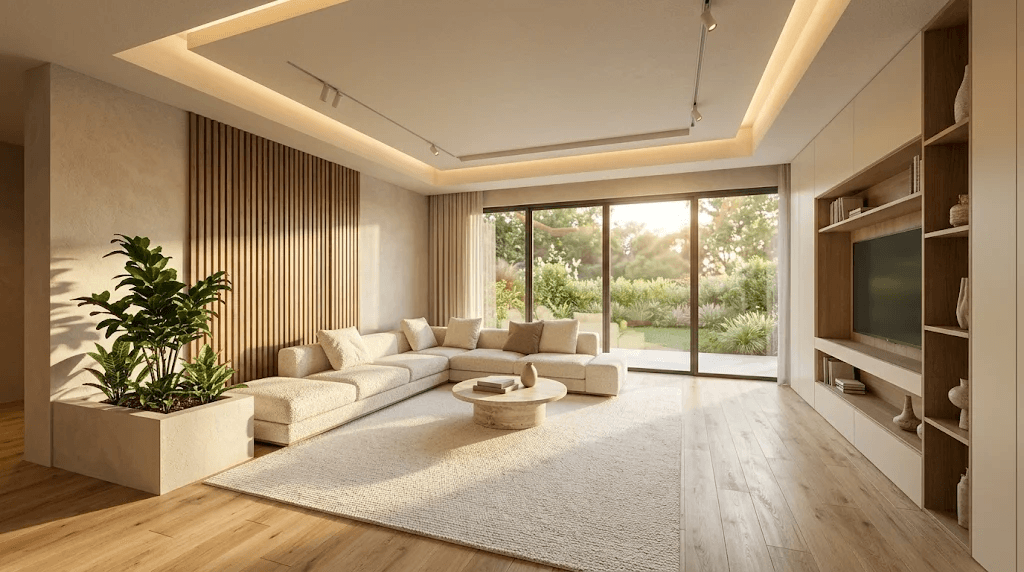
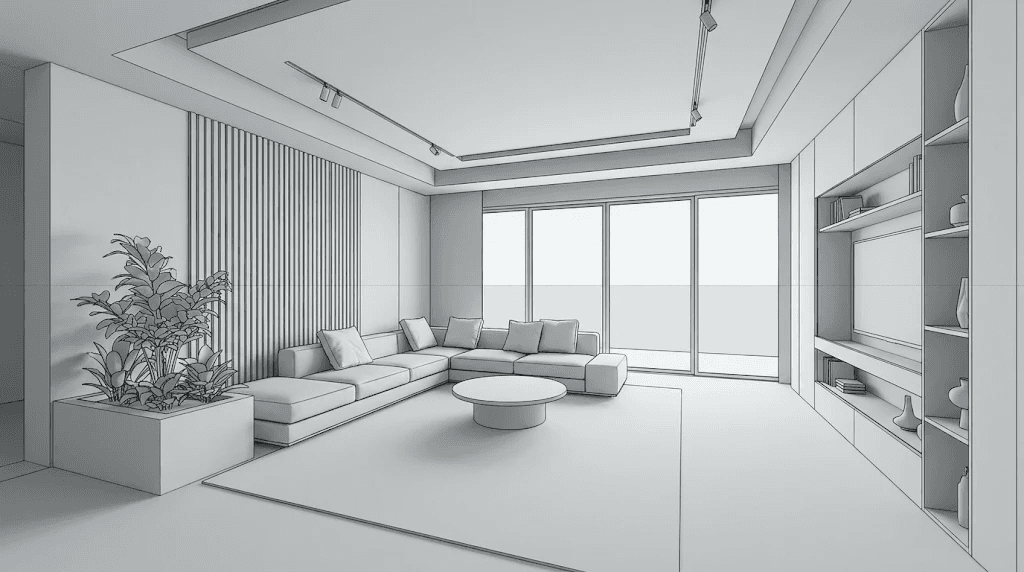
What is the Render Enhancer?
Render Enhancer is an AI post-production service for 3D drafts, clay models, and flat renders. It keeps the geometry of your design while adding lifelike materials, lighting, and details like people or landscaping where they suit the scene.
How it works
1. Upload your base render
Start with a draft view or an untextured clay render exported from SketchUp, Revit, Rhino, or another 3D tool.
Supports JPG and PNG exports.
2. Set the scene and style
Choose a style or write a short prompt for the lighting, mood, and materials you want, such as a cozy evening interior or a bright, overcast exterior.
3. Enhance and export
AI uses the depth and geometry in your draft to refine textures, lighting, soft shadows, and background details. Export the high-resolution image for your client.
Typical turnaround
- AI Render Enhancer
- Under 20 minutes
- Per render
- Traditional Photoshop post-production
- 2 to 8 hours per image
Have a draft to enhance?
Share your JPG or PNG and tell us what you'd like to improve.
Why use Render Enhancer?
Keep your design intact
Preserve the layout, dimensions, and geometry of your design while refining its appearance.
Compare variations quickly
Try up to five lighting moods or material palettes for a client review without re-rendering the 3D scene.
Simplify post-production
Skip manual masking, color grading, and placing people or landscaping in Photoshop.
Frequently Asked Questions
Common questions about this service, deliverables, and production process.
Can you enhance clay models or untextured 3D drafts?
Yes. Our render enhancement workflow takes raw clay models, ambient occlusion passes, or basic draft renders and enriches them with realistic materials, physically accurate lighting, reflections, and environmental depth.
How long does render enhancement take?
Turnaround is typically between 2 to 4 hours per view once initial draft images and design references are received.
What resolutions are delivered?
Enhanced images are delivered in high-resolution 2K or 4K, suitable for client design reviews, moodboards, and marketing decks.
Will the enhanced render alter my architectural proportions?
No. Structural geometry, walls, window openings, and ceiling heights remain strictly locked while surface materials, soft furnishings, and realistic illumination are refined.